AppTesting
Read-Only Microsoft Entra™ Analysis
Comprehensive testing and troubleshooting capabilities without configuration changes. Ideal for organizations and teams that need powerful analysis tools while maintaining strict control over application configuration.
Without AppTesting:
Typical triage effort3+ hours per issue
- Install Fiddler, configure HTTPS decryption, capture traffic manually — 3+ hours per issue
- Paste tokens into jwt.ms, switch between portal blades and Postman queries separately
- No way to test auth flows in read-only environments without risking accidental changes
- Findings shared as screenshots and notes — imprecise, hard to action
With AppTesting:
Typical triage effortMinutes, not hours
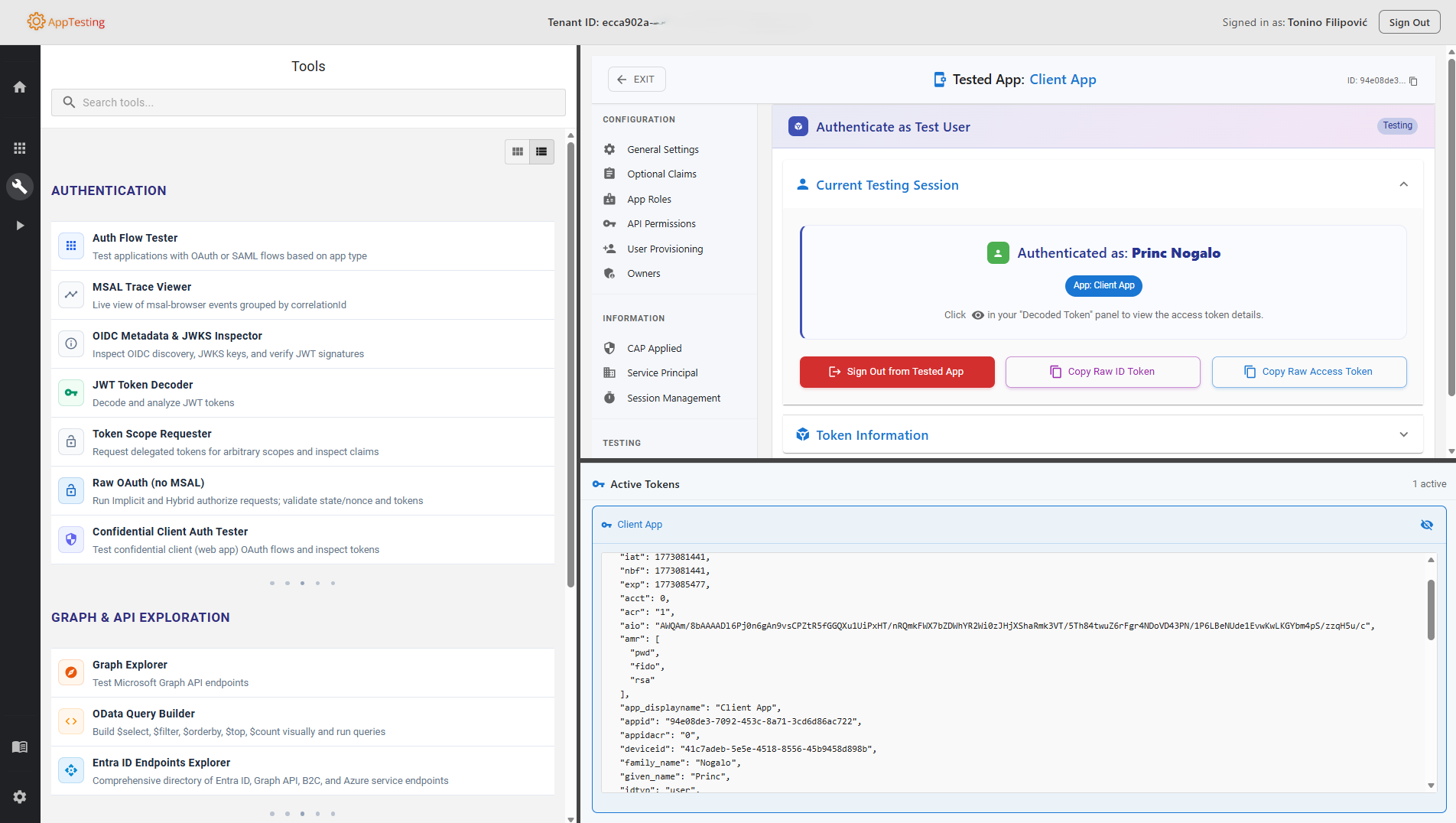
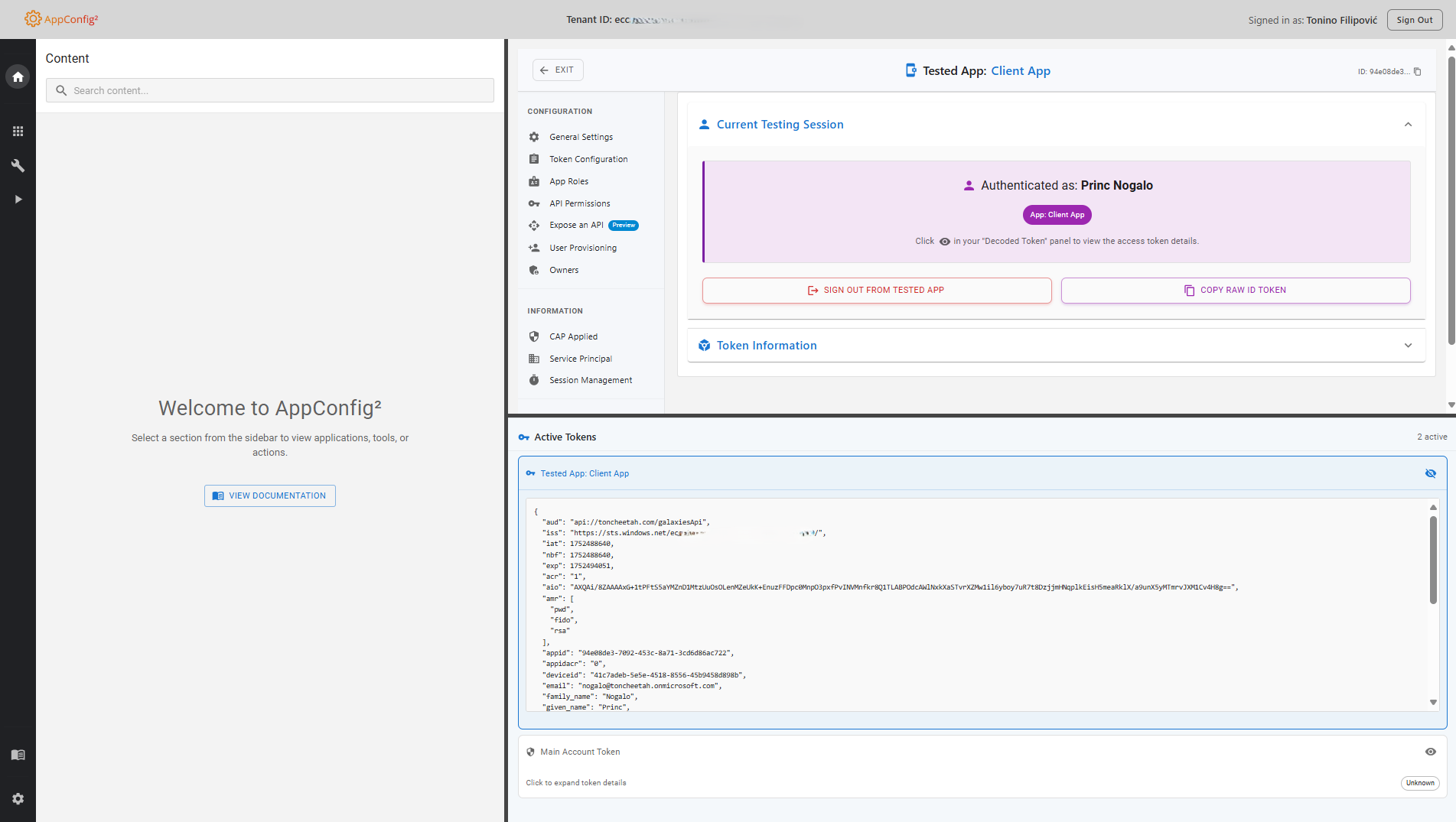
- Select app, test auth flow, decode tokens instantly — everything in one browser tab
- View all claims, permissions, and conditional access policies applied to an app
- Fully read-only — no accidental configuration changes, compliant with portal-only change policies
- Precise, actionable findings ready to hand off to whoever owns the Entra portal changes
Why AppTesting?
AppTesting provides all the powerful testing and analysis capabilities of AppConfig, but operates in read-only mode. Perfect for organizations that require configuration changes to be made through the official Entra portal while still needing comprehensive troubleshooting tools.
Compliance Ready
Meets strict organizational policies requiring configuration changes through official Entra portal only.
Full Analysis Power
Identical testing and troubleshooting capabilities to AppConfig without the ability to modify configurations.
Safe Operation
Analyze, test, and troubleshoot with confidence knowing no accidental configuration changes can occur.
Who is AppTesting for?
Purpose-built for teams who need deep visibility into Microsoft Entra ID applications — without the risk of configuration changes.
Level 3 Support
Troubleshoot complex authentication issues safely — no Fiddler, no separate token decoder, no portal context-switching, and no risk of accidentally modifying app settings.
Developers
Inspect OAuth2/OIDC flows and validate token claims in a read-only environment — ideal for debugging against production tenants without touching the configuration.
IT Administrators
Audit app registrations, review permissions, and analyse authentication flows with confidence — guaranteed read-only access means zero accidental changes.
Security Engineers
Validate authentication configurations and review app settings against organisational policies in a fully read-only context — safe for regulated and sensitive environments.
Comprehensive Testing & Analysis Capabilities
Authentication Flow Testing
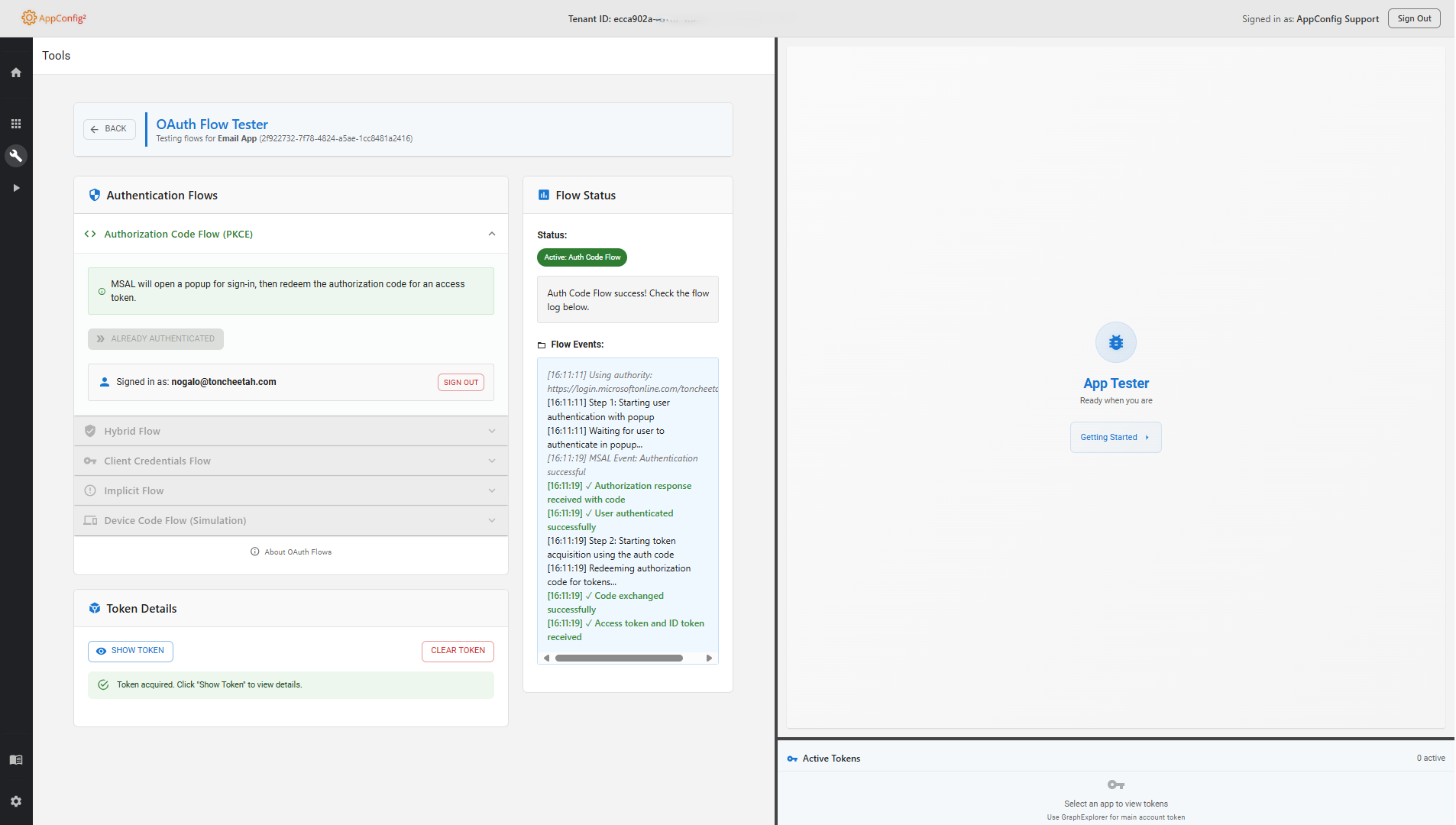
Test OAuth2 and OpenID Connect flows with comprehensive token analysis.
Token Decoding & Analysis
Decode and inspect JWT tokens, ID tokens, and access tokens in real-time.
Permission Analysis
View and inspect configured delegated and application permissions for troubleshooting.
Conditional Access Insights
View applied conditional access policies and their impact on authentication.
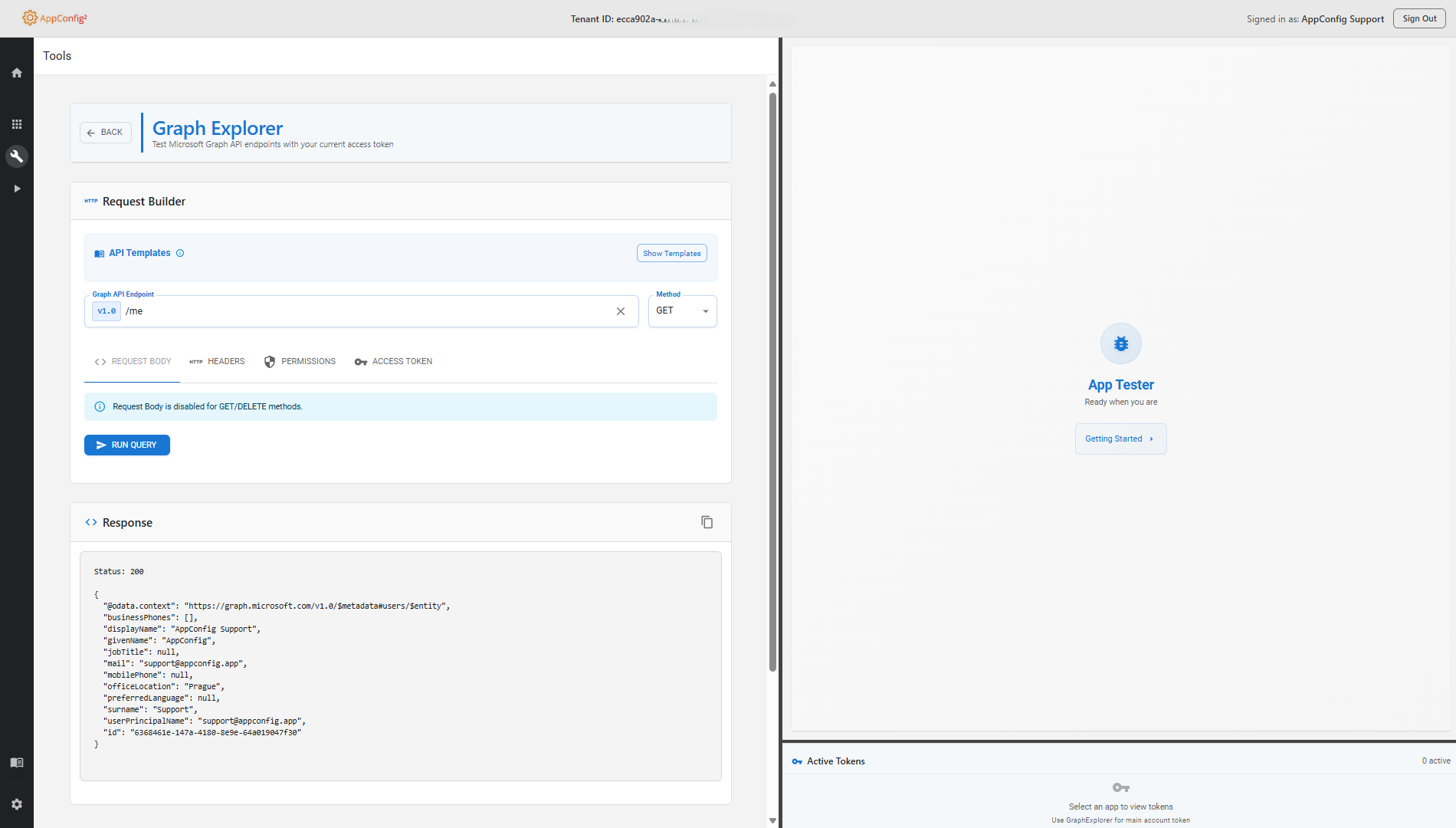
Graph Explorer Integration
Embedded Microsoft Graph capabilities for deep application analysis.
User Context Testing
Test authentication flows as different users to validate application behavior.
App Role Analysis
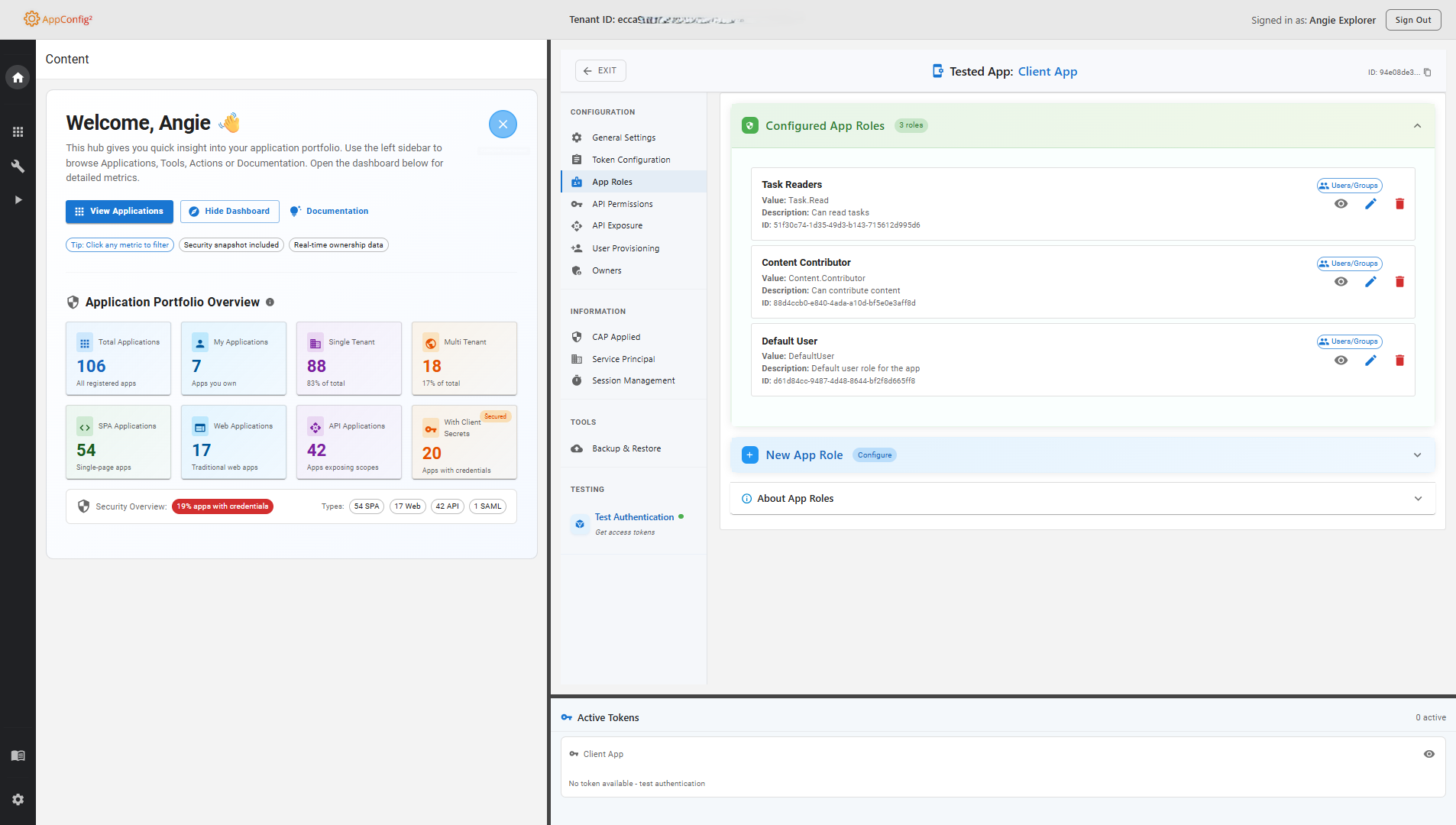
Analyze application roles and their assignments without modification capabilities.
MSAL Cache Inspector
Inspect browser storage, view cached tokens and accounts, and simulate acquireTokenSilent behavior.
Claims Extensions Reference
View directory extensions and attributes available for use in claims mapping policies.
See AppTesting in Action
Watch the promo video, then browse screenshots of key features
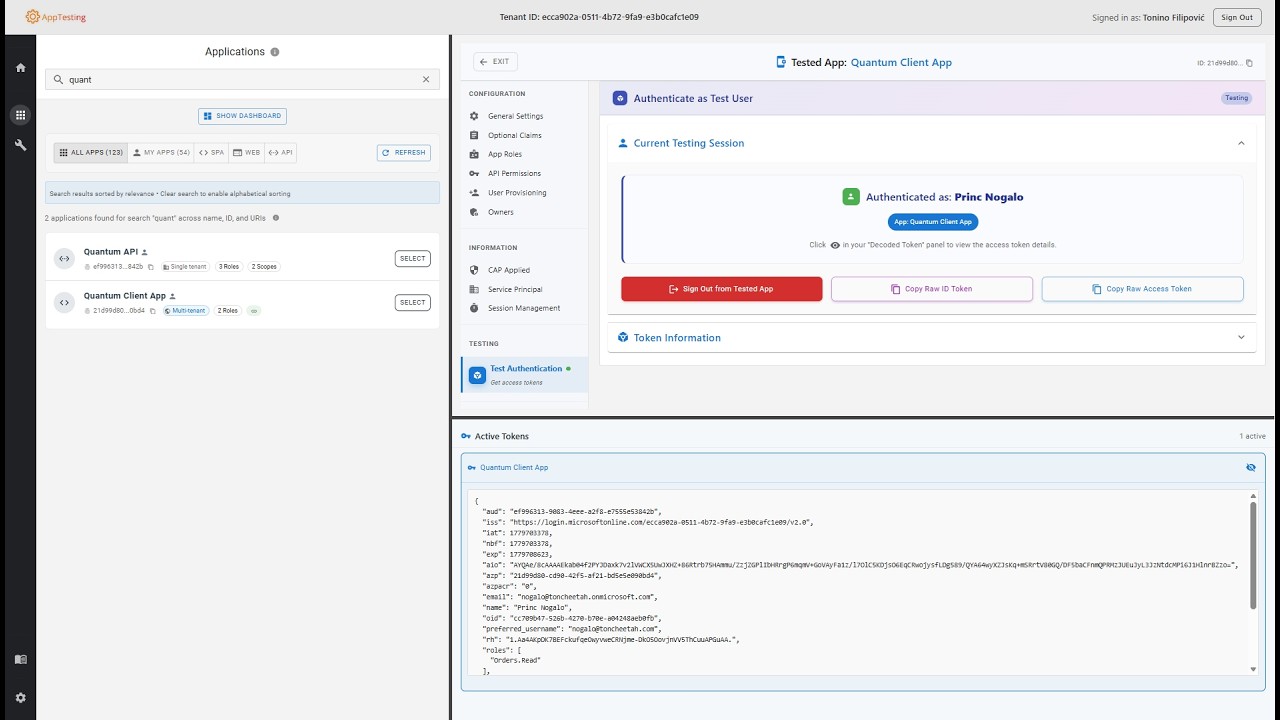
Screenshots — click to enlarge
Perfect for These Scenarios
Strict Change Control
Organizations with policies requiring all configuration changes through official portals only.
Level 2/3 Support
Support teams needing powerful troubleshooting tools without configuration modification risks.
Authentication Auditing
Teams that need to verify and document authentication behaviour across apps without making any configuration changes.
Developer Testing
Developers who need to test applications in environments where they don't have configuration permissions.
Compliance Requirements
Industries with regulatory requirements for read-only access to production environments.
Training & Learning
Educational environments where users need to learn without risk of making unintended changes.
Security-First Design
AppTesting is a read-only tool — it never modifies your Entra ID configuration. Every security decision reinforces that constraint, from MSAL PKCE authentication to strict read-only scope enforcement.
Authentication & Authorization
- MSAL Authorization Code Flow with PKCE — no implicit flow, no client secrets in the browser
- sessionStorage cache — sessions are isolated per browser tab, not shared across tabs
- Read-only scope boundary enforced at consent time — only the minimum Graph read permissions required for each feature
OWASP Client-Side Controls
- X-Frame-Options: SAMEORIGIN — blocks third-party framing; same-origin embedding permitted
- X-Content-Type-Options: nosniff — prevents MIME-type sniffing
- Referrer-Policy: strict-origin-when-cross-origin
- Security headers applied at SWA layer — via
staticwebapp.config.json
Read-Only Enforcement
- No write scopes requested — only read permissions are consented; no PATCH, POST, or DELETE calls are made to Microsoft Graph
- No configuration mutations — AppTesting reads and displays data; your Entra ID setup is always left unchanged
- Safe for restricted environments — suitable for teams where only portal-based changes are permitted
Infrastructure & Data Residency
- Azure Static Web Apps + Azure Functions — supports both delegated and client credentials flows for token testing
- Microsoft Graph calls go directly to Microsoft — OAuth helpers run on Azure Functions within the same Azure SWA; your data never leaves Microsoft's infrastructure
- No telemetry or third-party analytics beyond what Azure SWA platform collects
Now Available on Azure Marketplace
Get AppTesting directly from Azure Marketplace with seamless integration into your Azure environment and full read-only Entra ID analysis capabilities.
Azure Integration
Native Azure billing and subscription management
Enterprise Ready
Enterprise-grade security built on Microsoft's trusted Azure infrastructure
Professional Support
Dedicated technical support and documentation
Instant Deployment
Deploy directly from Azure Marketplace in minutes
AppTesting
1-Month
FREE TRIAL
Start with a full-featured 1-month trial for support teams, developers, IT administrators, and security engineers
- Full access to all read-only analysis features
- Azure native billing and management
- Professional technical support
- Enterprise-grade security and compliance
- No setup fees or commitments
Questions About AppTesting?
Want to learn more about read-only testing capabilities? Get in touch with our team.